Bring your reference.
Choose footage you own or have permission to use from Photos or Files. Import a local project package to pick up existing work.
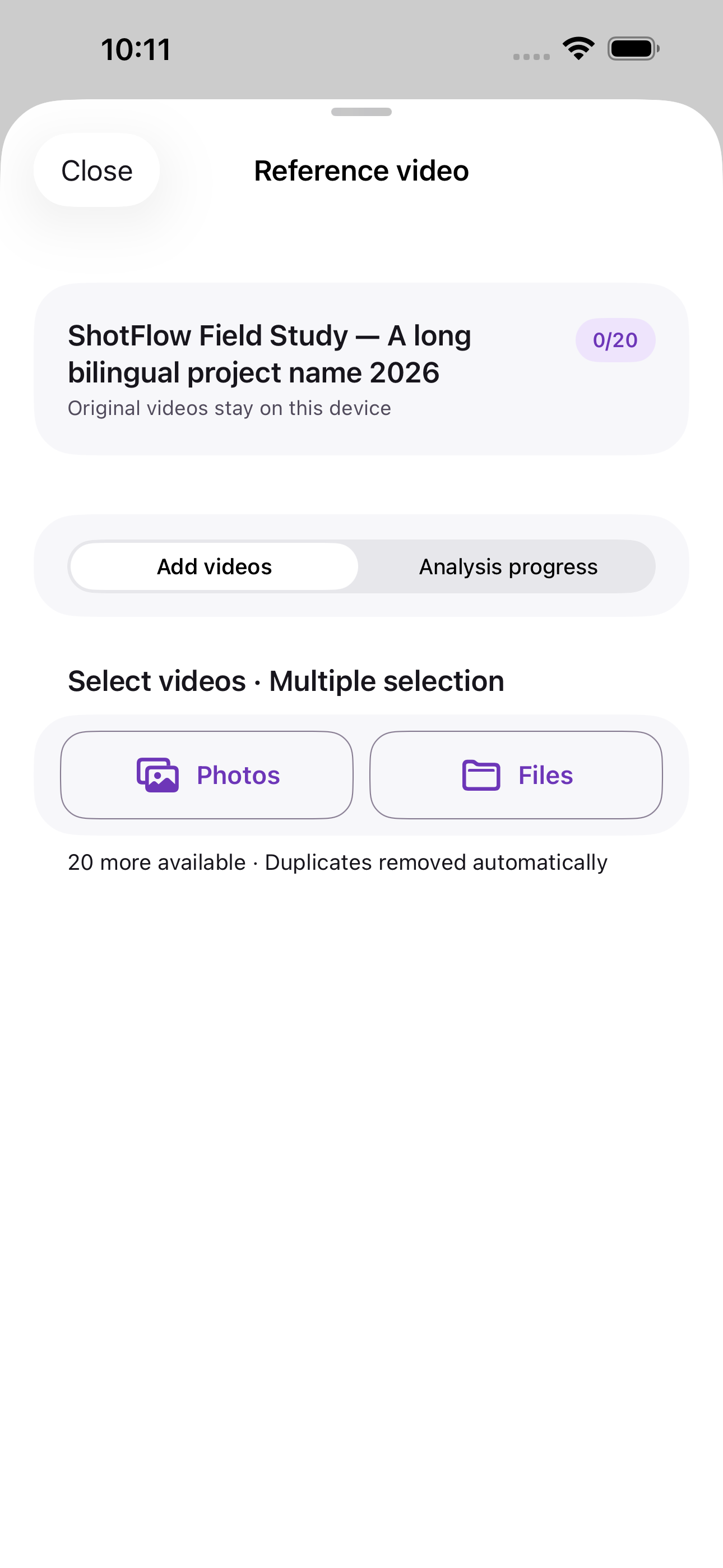
Photos · Video files · Project packages
Your AI filming companion
Turn reference videos into your shooting checklist. Analyze and refine shots on your iPhone, then keep your references close while you film.
Coming soon to the App Store
A free iPhone edition. No account, subscriptions, or ads.
A little preparation. More room to create.
Three steps from a saved reference to a shoot you can follow. You stay in control of every shot.
Choose footage you own or have permission to use from Photos or Files. Import a local project package to pick up existing work.
Photos · Video files · Project packages
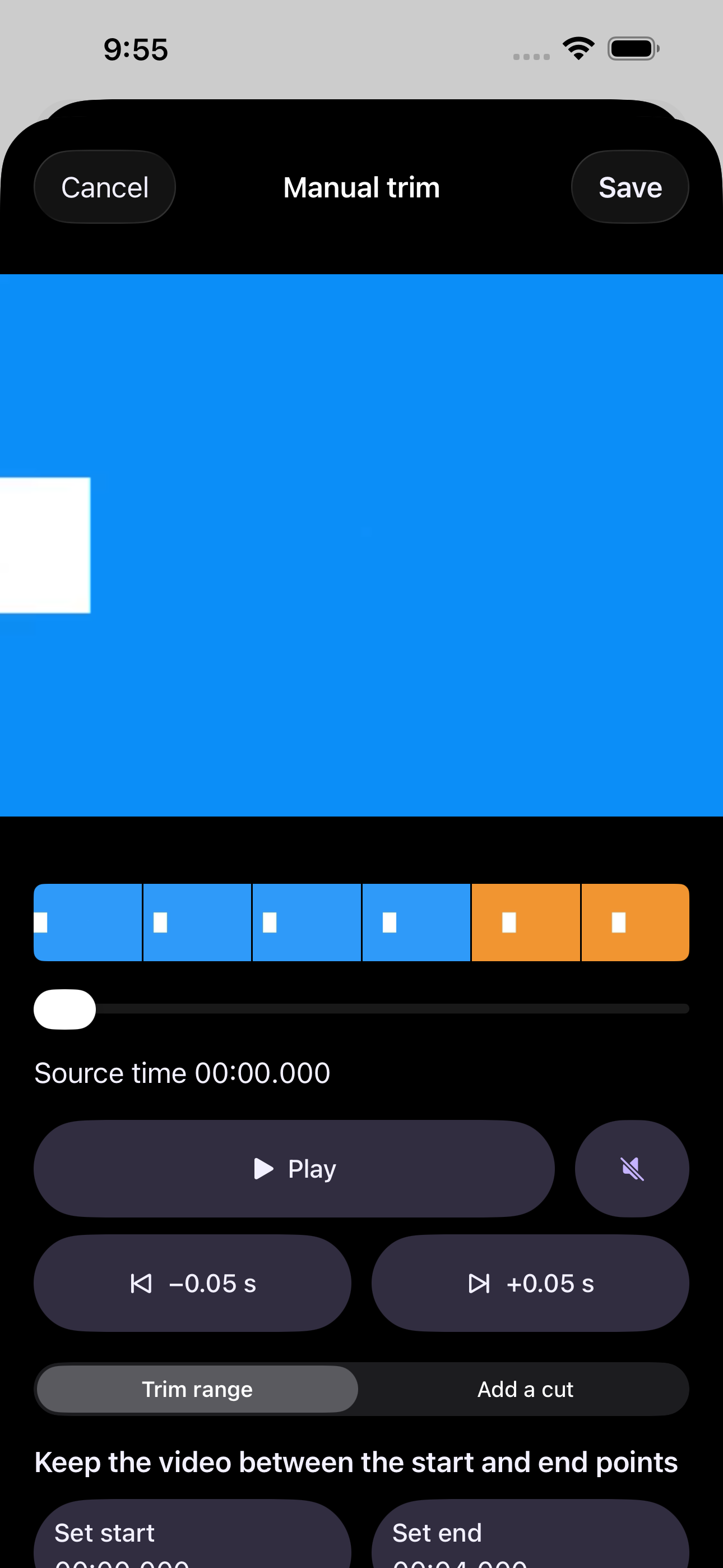
Review detected boundaries, adjust timing, split or merge shots, and add notes. Automatic detection is your starting point.
Review · Trim · Split · Merge
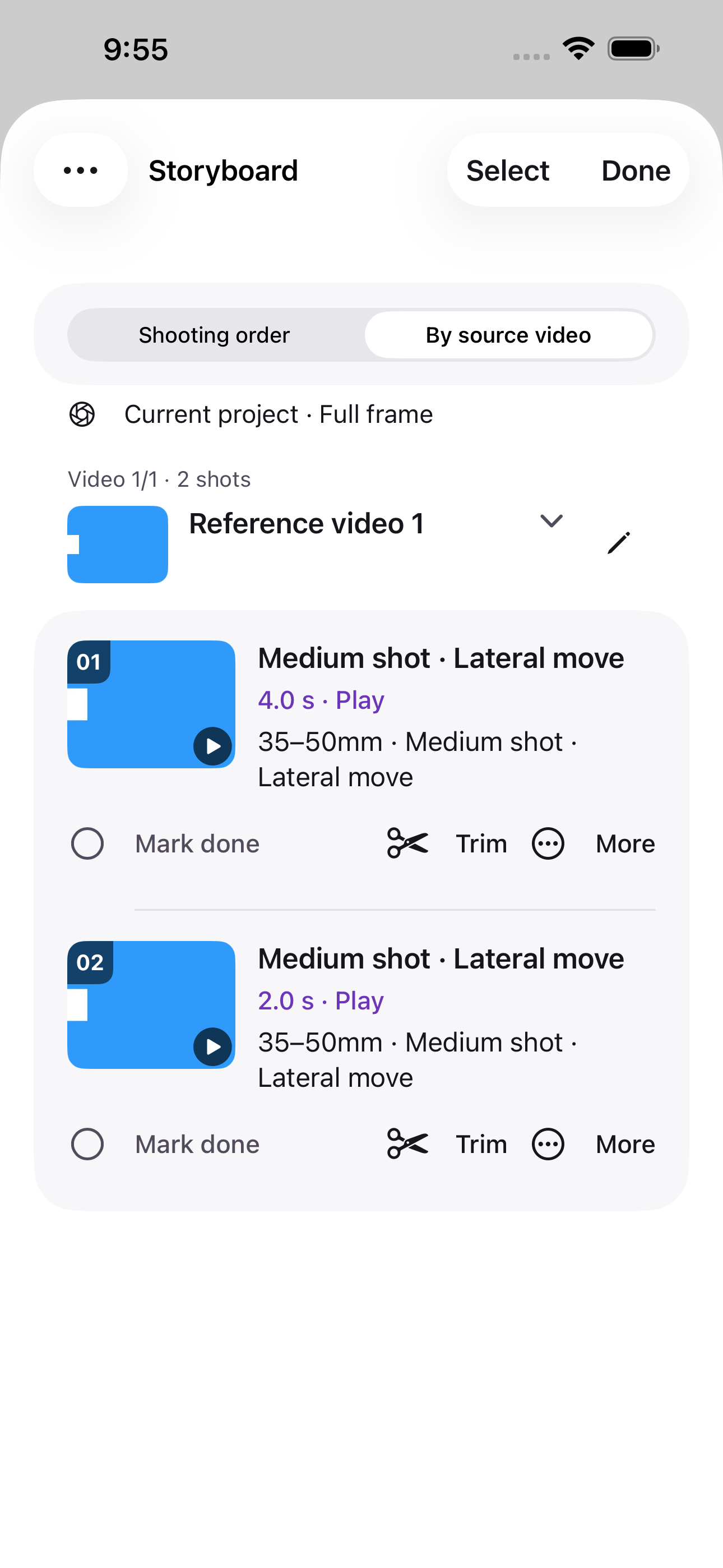
Keep shot order and filming notes together. Look up a reference, track what is done, and move to the next shot.
Reference · Progress · Next shot
Preview of the edition in development. Sample footage illustrates the interface, not a filmed result.
WHEN IT IS TIME TO FILM
Check the reference before a take. Follow the shot order without losing the notes that made the idea yours.
Your on-set workflow
Record on iPhone, review your clips, and choose the take to keep with the shot. If you film with another camera, use ShotPAI for reference and timing; it does not remotely control that camera.
Read the filming guideA PROJECT THAT STAYS TOGETHER
Keep a lightweight plan, or take the associated media with you. Know what is in your export before you share it.
Local versions let you return to saved project states. Exports, Photos items, and system backups are managed separately.
YOUR FOOTAGE. YOUR CHOICES.
Shot detection runs on your iPhone. Review and refine its suggestions.
Start without registering. The initial edition has no subscriptions or ads.
Export only when you decide, through the destination you choose.
Cloud file retrieval, web and email links, and system sharing can still use the internet.
Read the privacy policyThis edition does not import or download video URLs. Choose a video already saved in Photos or Files.
Review the detected shots and adjust timing, split, or merge them. These edits do not rewrite your original video.
Imported footage is analyzed on your device. iCloud or other file providers may need a connection to retrieve originals. External links and system sharing can also use the network.
No. JSON contains project structure, not media. A full project package can include associated media; check its contents after export and keep separate copies of important originals.
ShotPAI is being prepared for iPhone, with iOS 18 as the current minimum target. Final compatibility will be listed with the App Store release.
Not yet. The iPhone edition is in preparation. This page will link to the real App Store listing when it is available.
Email support@shotpai.com with your device, iOS and app versions, steps, and what happened. Please do not send passwords, verification codes, or private videos.

From reference to checklist, with your creative decisions in between.
Coming soon to the App Store